Nikon and RED Team Up to Launch Cinematic Image Recipes for Select Cameras
| Shelf | Cameras & Lenses |
|---|---|
| Date in | |
| Readers | 391 |
Nikon is set to release nine new RED-inspired Image Recipes for select cameras, enhancing in-camera video look and production workflow.
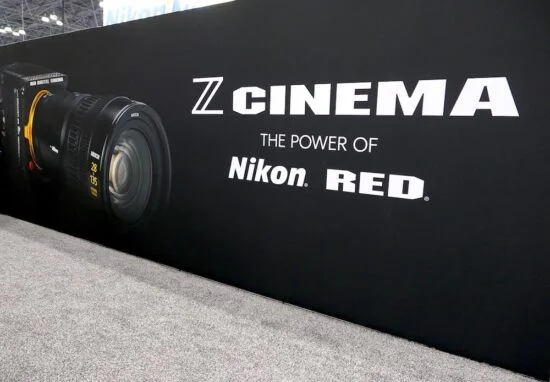
The anticipated collaboration between Nikon and RED is finally here, bringing a suite of nine new “Image Recipes” that cater to filmmakers and photographers looking to streamline their production workflows. Set to launch tomorrow, these free, RED-inspired presets enhance Nikon's contemporary camera lineup with cinematic looks. Through the Nikon Imaging Cloud, users will gain access to these tailored Picture Controls and LUTs designed to mimic the aesthetics of RED's highly-regarded color grading styles, effectively elevating the quality of footage produced. This collaboration signals a deeper relationship between two significant players in the imaging world, and many in the industry are keen to see if it translates into a meaningful shift in production standards.
Camera Compatibility and Availability
Nikon's new Image Recipes are designed for specific models, ensuring that users have a range of options regarding their equipment. The supported cameras include:
- Nikon ZR (RED edition)
- Z6 III
- Z50 II
- Z5 II
- ZF (any Nikon camera that supports Nikon Imaging Cloud)
This wide range of compatibility makes it accessible for many users who wish to explore enhanced cinematography capabilities without the need for extensive post-production work. By allowing access to a larger segment of Nikon’s user base, the company is positioning these recipes not only as tools for professionals but also as ways for enthusiasts to elevate their craft. However, it raises an important question: does this inclusion also dilute quality at the high end? That remains to be seen.
The Nine Image Recipes
The nine distinct Image Recipes, each with its specific character, will empower users to shoot with a more refined aesthetic straight from the camera. The presets are:
- R1_CineBias – A clean, soft cinematic base look
- R2_CineBias-T – Conveys a cool atmosphere featuring a moody teal-green vibe
- R3_CineBias-C – Offers crisp teal contrast for a dramatic edge
- R4_CineBias-CC – Infuses noir vibes
- R5_CineBias WC – Characterized by grit and glow effects
- R6_CineBias-TC – Experimental green edge
- R7_CineBiasOffset
- R8_CineBias Achromic – Presents a monochrome perspective
- R9_CineBias BleachBypass – A bold stylistic choice
These recipes are meticulously designed to cater to various filmmaking needs, whether for narrative projects, commercials, or quick turnarounds for multimedia clients. Each recipe carries its own artistic intent, which invites users to think about how style informs storytelling. Filmmaking isn't just about technique; it’s a form of visual communication, and the right preset can help convey emotion and narrative before the first edit.
Practical Considerations for Use
While the Image Recipes present great creative opportunities, understanding their operational context is essential. The recipes are found within the Set Picture Control menu as custom profiles and are optimized for SDR tone mode, which means they won't function properly with N-Log or HLG. Importantly, these presets work exclusively with specific codecs: ProRes 422 HQ 10-bit, H.265 10-bit, or H.265 8-bit. This limitation is crucial for filmmakers who might be used to more flexible Log or RAW workflows. That’s a point worth scrutinizing: how do these limitations affect creative freedom when so many cinematographers rely on flexibility?
For optimal results, Nikon recommends setting Active D-Lighting to “Extra high” or “Extra high 1” for most of the recipes. Some adjustments in post-production can be risky; users might find minor tweaks difficult due to the baked-in nature of the presets. Think of it this way: the presets might give you a solid jumping-off point, but they’re not a replacement for the nuanced choices you often need to make in color grading. Some color adjustments might also be challenging to execute after the fact, as there’s no slider functionality to change the intensity or opacity of these looks. If you're working in this space, consider how reliant you are on those finer adjustments; they might be the difference between good and great.
Compatibility Notes
Interestingly, the Z9 model is not compatible with these new Image Recipes, which could be a drawback for high-end users looking for integrated cinematic features. It raises eyebrows, as the Z9 is one of Nikon's flagship models, and overlooking it could lead potential customers to reconsider their loyalty to the brand. However, the broader range of camera models receiving the update ensures that many users can take advantage of this new capability. After all, excluding one model from compatibility might not be a deal-breaker for most—but it does speak volumes about Nikon's intended market demographic.
Implications and Future Outlook
With the introduction of these new Image Recipes, Nikon is not just enhancing its camera capabilities but is also responding directly to the needs of today’s shooters who demand efficiency and quality. As cameras evolve, integrating such functionalities boosts Nikon's appeal among filmmakers who seek turnaround speed alongside visual integrity. What this means for you is a burgeoning ecosystem where shooting with preset looks might challenge traditional post-production workflows. Like it or not, the focus may shift from meticulous color grading in post to achieving the desired look in-camera. As we anticipate the official launch, it’ll be exciting to see how these recipes influence shooting styles and enhance creative practices in the field. And this is the part most people overlook: the way we create and edit visuals is likely to change significantly as these tools become adopted widely.