OpenShot 4.0.1 Enhances Editing with Razor Tool Updates and Performance Improvements
| Shelf | Cameras & Lenses |
|---|---|
| Date in | |
| Readers | 793 |
OpenShot 4.0.1 introduces significant updates to the Razor tool, performance enhancements for color and animation editing, and official Snap support for Linux users.
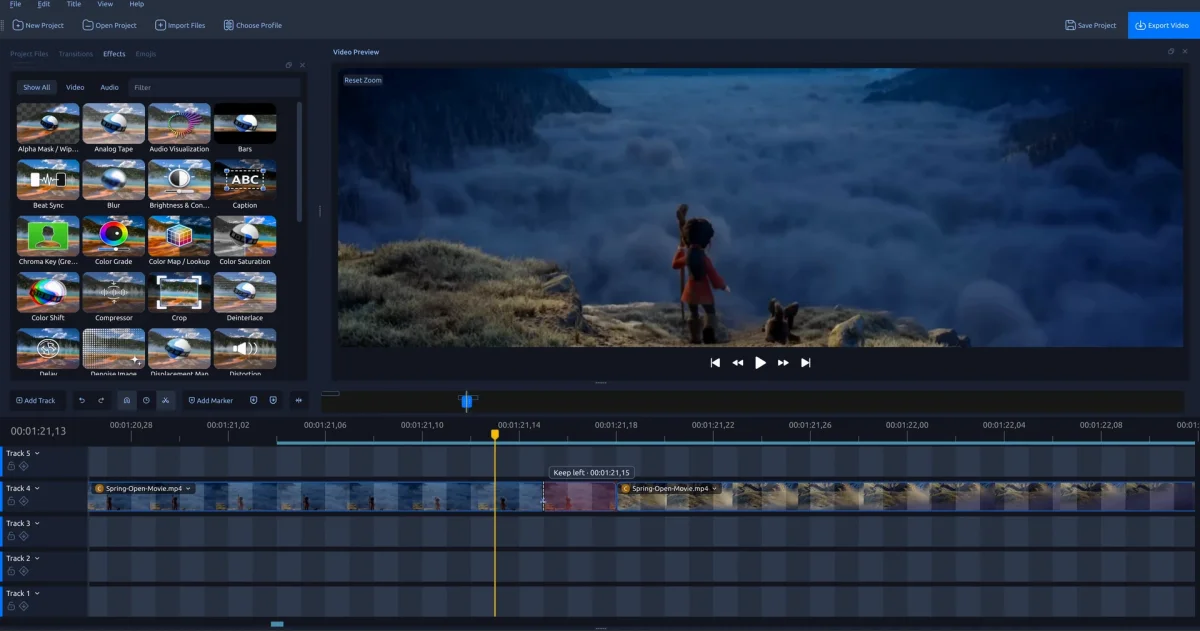
OpenShot has rolled out version 4.0.1, showcasing a range of enhancements designed to improve the editing experience. Key features include upgrades to the Razor tool, improved performance for color and animation edits, and official support for Linux through Snap packaging. This update promises a smoother workflow, especially for those engaged in more complex video editing projects.
OpenShot 4.0.1 Key Features
- Razor Tool Upgrade: Introduces frame previews, snapping features, and options for ripple cuts.
- Timeline Enhancements: Improved zoom functionality ensures clip controls remain visible during edits.
- Desktop Integration: Native file dialogs and improved workflows with external editors.
- Performance Boosts: Faster editing of keyframes and color adjustments.
- Stability Improvements: Enhanced undo functions and safeguarding of project saving.
- macOS Compatibility Fix: Resolves startup issues on Mac machines without Homebrew.
- Recording Enhancements: Improved audio and webcam features during screen recording.
- Official Linux Snap Support: Facilitates automatic updates and desktop integration.
Razor Tool: Frame Previews and Ripple Cuts
The revamped Razor tool is designed to facilitate precision editing. Users can now hover over clips while playback is paused to view the exact frame being cut, which aids in making more accurate decisions. This feature includes a dashed cut guide, timecode display, and an action hint that together create a seamless pre-cutting process. Snapping functionality aligns the cut guide with essential timeline points such as markers or the playhead, enhancing the editing workflow further.
When cutting, users have the option to split a clip while maintaining one side of the clip. By holding Shift, only the left side can be kept, and by holding Ctrl, only the right side can be retained. Each potential action is visually represented by shading, offering clear feedback on what portion will be cut. Adding the Alt key can close the gap created by the cut, effectively shifting any subsequent content leftward, which streamlines the editing process.

Timeline Improvements
This release significantly enhances timeline functionality, allowing users to zoom into detail without losing sight of key controls. Effect badges, titles, and menus now remain visible even as playback progresses and clips scroll out of view. This improves the efficiency of making adjustments or tweaks mid-clip.
The zoom slider has been redesigned for better usability, offering clearer handles that snap to key timeline points for more precise framing of edits. Thumbnail visibility is optimized, ensuring consistent display across different zoom levels, which enhances usability during complex projects.

Desktop Integration and Workflow Streamlining
OpenShot 4.0.1 promotes smoother workflows through significant improvements in desktop integration. Users benefit from improved file dialog performance and external editor compatibility, particularly with applications like Inkscape and Blender. New preferences allow users to set default folders for unsaved project assets, thus simplifying the editing workflow.
A new banner notification system provides unobtrusive updates about available OpenShot versions and keeps users informed without interrupting their work. Users can easily dismiss the banner but will receive notifications for future updates.

Enhanced Keyframe and Color Editing Performance
Version 4.0.1 introduces significant performance improvements for color grading and keyframe adjustments. Users can make finer adjustments to colors and animated movements with less processing delay. For example, median color-wheel editing times improved from approximately 65 milliseconds to 30 milliseconds, making the editing experience much more fluid.
Responsive drag targeting of keyframes and preservation of the playhead during adjustments further enhances the user experience. Trimming and preview seeking during edits are now more efficient, reducing the overall interruption during workflows.
Stability and Project Saving Enhancements
The stability of OpenShot has also seen critical improvements, particularly concerning editing history and project saving. This update addresses various bugs associated with project saving and crash scenarios during clip deletion or media opening. The undo functionality now preserves independent snapshots of edits, ensuring earlier changes remain unaffected by subsequent adjustments.
macOS Compatibility Fixes
For macOS users, version 4.0.1 resolves a critical startup crash issue. The fix focuses on ensuring that the correct library dependencies, including Tesseract linked through OpenCV and FFmpeg, are properly recognized within the app without relying on Homebrew installations. This should significantly improve accessibility for Mac users.
Recording and Audio Synchronization Improvements
For screen captures, maintaining audio-video sync is critical. OpenShot 4.0.1 has made improvements to synchronize audio with video more effectively during screen recording sessions. Adjustments ensure that audio discrepancies, such as delays or dropouts, are minimized.
Additionally, Linux users will notice better webcam detection and compatibility, with support for various camera modes and enhanced management of recording files while they remain in use.
Official Snap Package for Linux
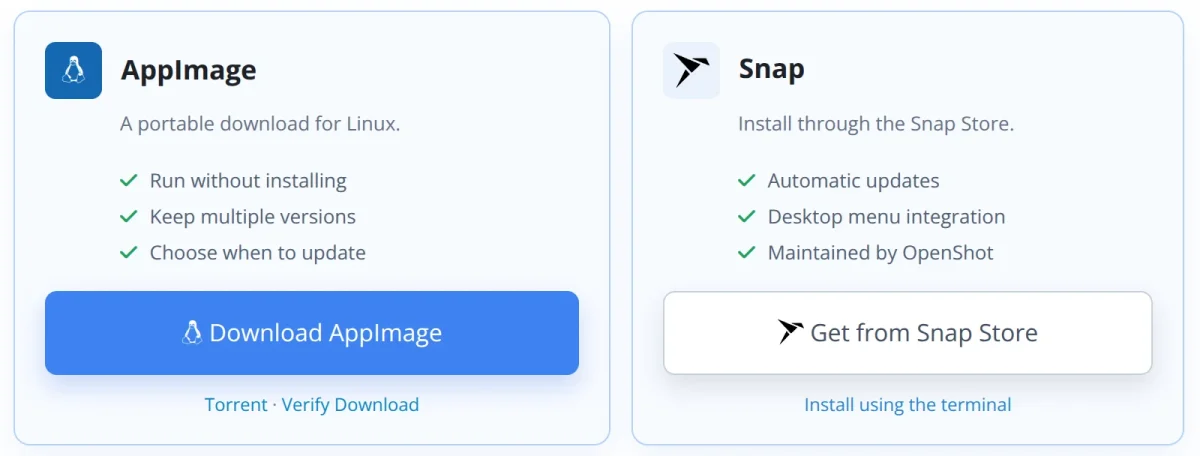
Linux users can now take advantage of an official Snap package for OpenShot, which not only simplifies installation but also maintains automatic updates and desktop integration. This Snap package is available from the Snap Store. For those unfamiliar with Snap, a simple command can initiate installation:
sudo snap install openshot-qtFor security and permissions, users will need to manually set access for the microphone and webcam to utilize recording features until auto-connections are approved.
Translations and Documentation Updates
OpenShot has made significant strides in enhancing its accessibility across languages by refreshing its interface and documentation translations into 25 languages. Tooltips have been shortened, and primary interface labels have been reviewed to reflect video editing terminologies more accurately. The User Guide now includes updated sections on the Razor tool, ensuring that users can efficiently utilize the new features.
Release Notes and Source Code Access
OpenShot 4.0.1 operates on the latest versions of libopenshot and libopenshot-audio. These backend updates enhance diagnostic logging capabilities and compatibility, especially on macOS systems’ audio libraries. For those looking to dive deeper into the updates, detailed release notes and source code can be accessed on their respective repositories:
Community Acknowledgments
A heartfelt thanks to all the contributors, translators, testers, and users whose feedback has helped to identify issues and improve the overall experience of OpenShot.
Download OpenShot 4.0.1 Today
Experience the new features firsthand by downloading OpenShot 4.0.1, now available across Windows, macOS, and Linux. Check out the improved Razor previews and better timeline features to enhance your next editing project.