OpenShot 3.5 Enhances Video Editing with Speed, Stability, and New Features
| Shelf | Photo Techniques |
|---|---|
| Date in | |
| Readers | 314 |
OpenShot 3.5 brings significant improvements in speed, stability, audio handling, and GPU acceleration, making video editing more efficient and enjoyable.
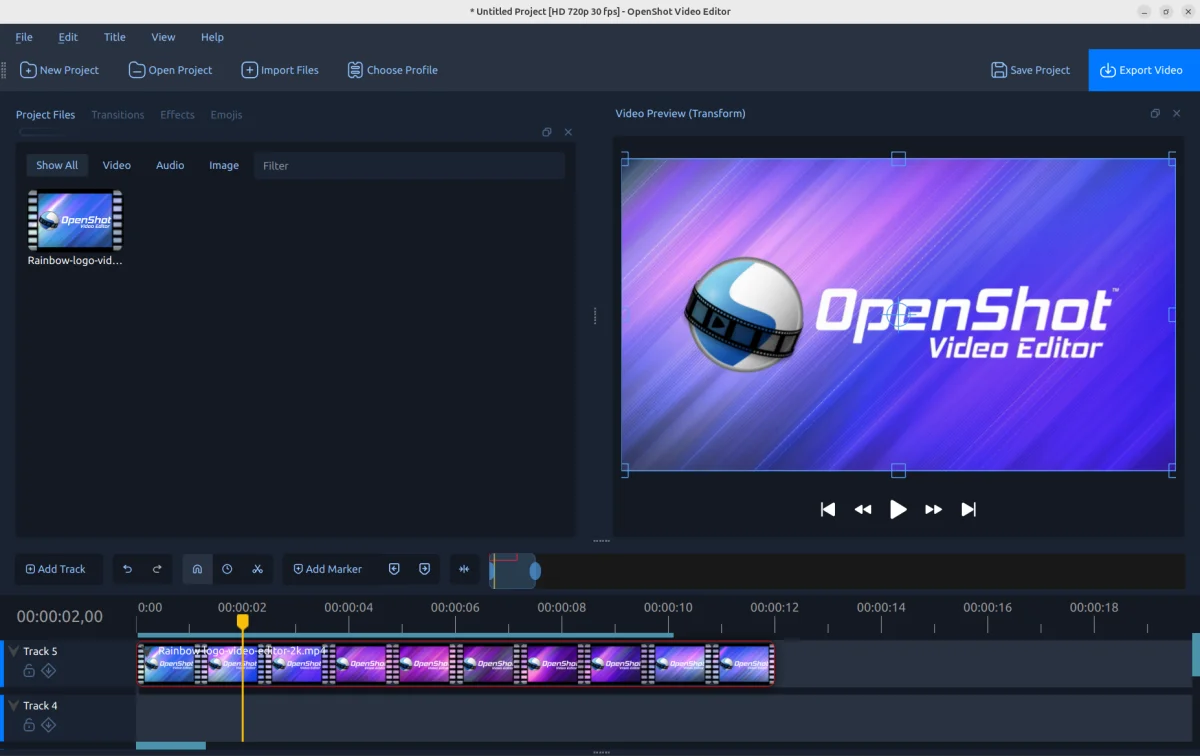
Buckle up, everyone! OpenShot 3.5 has officially launched, and it represents a major milestone in our 18-year journey. This release brings a plethora of enhancements, including a notably faster timeline, improved exporting capabilities, and enhanced GPU acceleration for editing and rendering. These upgrades are aimed at ensuring a smoother editing experience that meets the needs of both enthusiasts and professionals alike.
Key Enhancements Overview
- New default timeline for improved editing speed and efficiency.
- 35% faster performance overall, particularly with effects and frame processing.
- Better export quality resulting in smaller file sizes without sacrificing visual fidelity.
- Enhanced GPU acceleration to improve decoding and encoding performance.
- Greater stability following rigorous testing protocols.
- Streamlined audio transitions for easier cross-fades and edits.
- Expanded mask support across various effects.
- New default Chroma Key settings that improve keying quality.
- Faster handling of audio files, making importing smoother.
- Experimental ComfyUI integration aimed at fostering AI workflows.
- Numerous bug fixes focused on making the platform more reliable.
Speedier Editing with a New Timeline
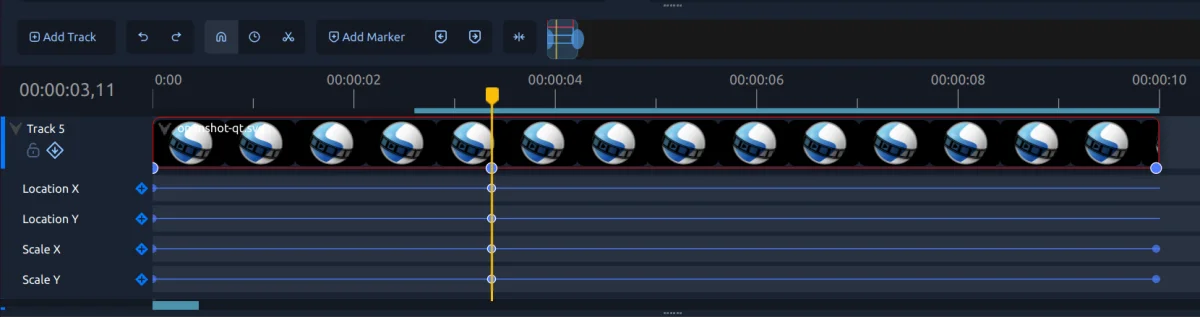
The most noticeable update in OpenShot 3.5 is the introduction of a new default timeline. This sleek and responsive timeline redefines the editing experience, offering enhanced zooming, scrolling, and overall interactivity. The increased responsiveness is especially beneficial for larger projects. Additionally, the keyframe panel now appears by default, simplifying advanced animations and property editing for users.
Technical notes: Improvements in timeline rendering, multi-selection handling, and thumbnailed display help ensure seamless editing performance.
Performance Gains Across the Board
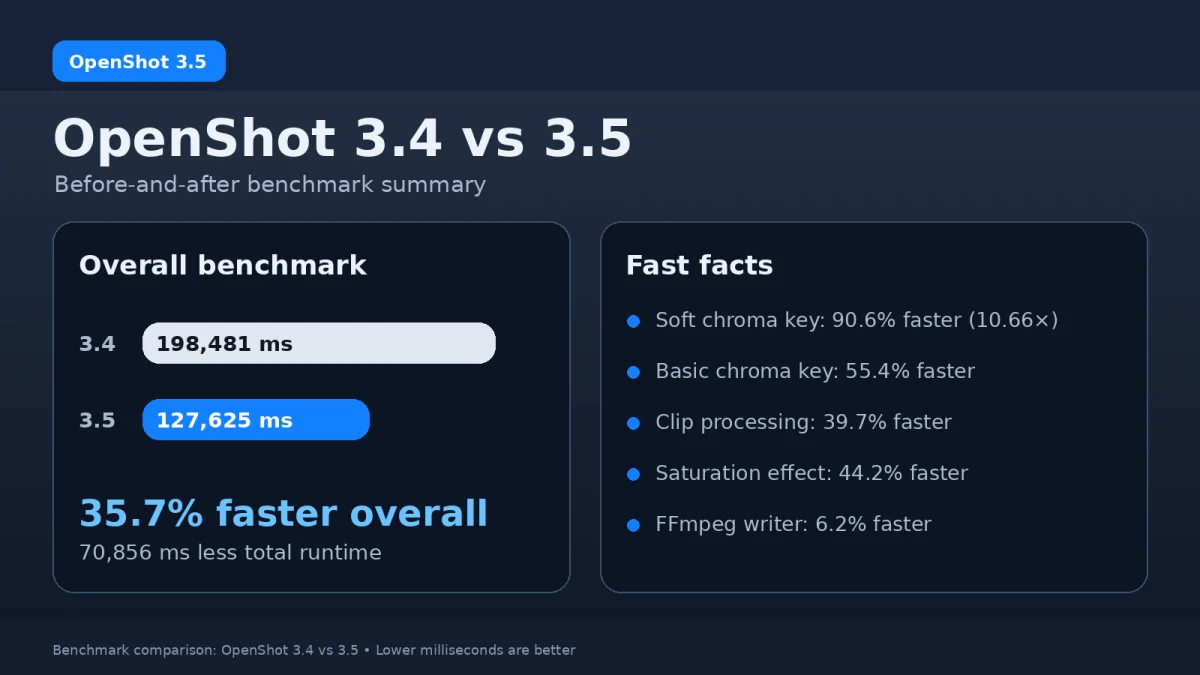
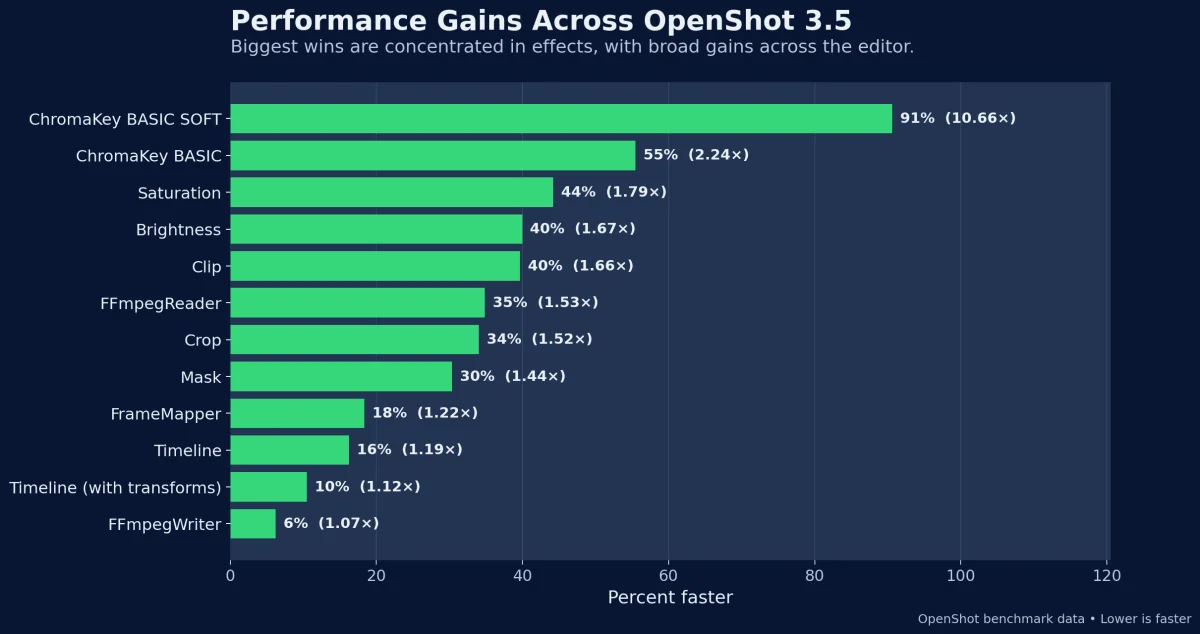
Performance has seen major improvements in OpenShot 3.5, with an overall speed increase of approximately 35%. Notable enhancements are evident in effects processing and frame handling, leading to a more responsive editing environment and quicker previews. Critical areas of improvement include Chroma Key and color effects, showcasing the broad scope of optimization within the software.
Technical notes: Enhancements in libopenshot for faster processing, normalized effect loops, and better caching mechanisms contribute to this performance boost.
Export Improvements and GPU Acceleration
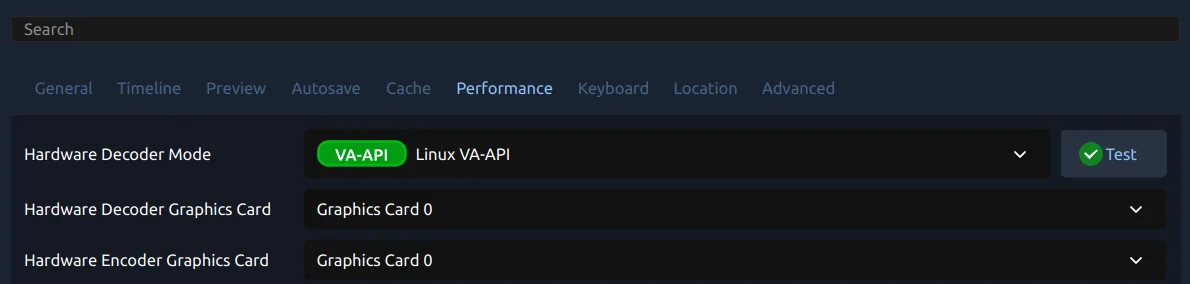
Export quality has also seen notable improvements, delivering smaller file sizes without compromising quality. OpenShot 3.5's integration of improved GPU acceleration contributes to this progress, allowing for reliable encoding and decoding processes. Users should find that hardware acceleration now functions more smoothly, minimizing potential issues during export.
Technical notes: New presets and encoder settings have been fine-tuned, supporting better overall handling of frames and bitrate.
Enhanced Audio Handling Features
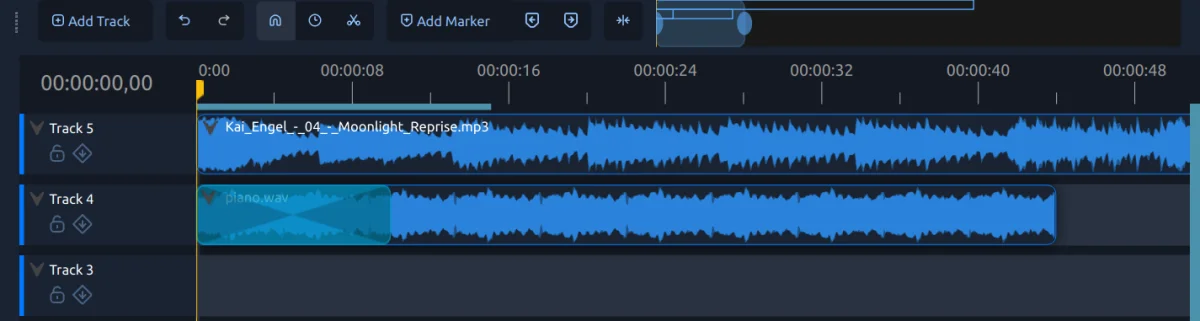
Audio improvements in version 3.5 focus heavily on user experience. Transitions for audio have become much more intuitive, allowing for smooth cross-fades, fade-ins, and fade-outs without the need for complex manual adjustments. Additionally, faster audio file handling contributes to an overall improved editing process, making workflows feel more fluid.
Technical notes: Efficient waveform generation and enhanced audio paths greatly alleviate any previous lag associated with high volumes of audio file manipulation.
Creative Freedom with Masks and Effects
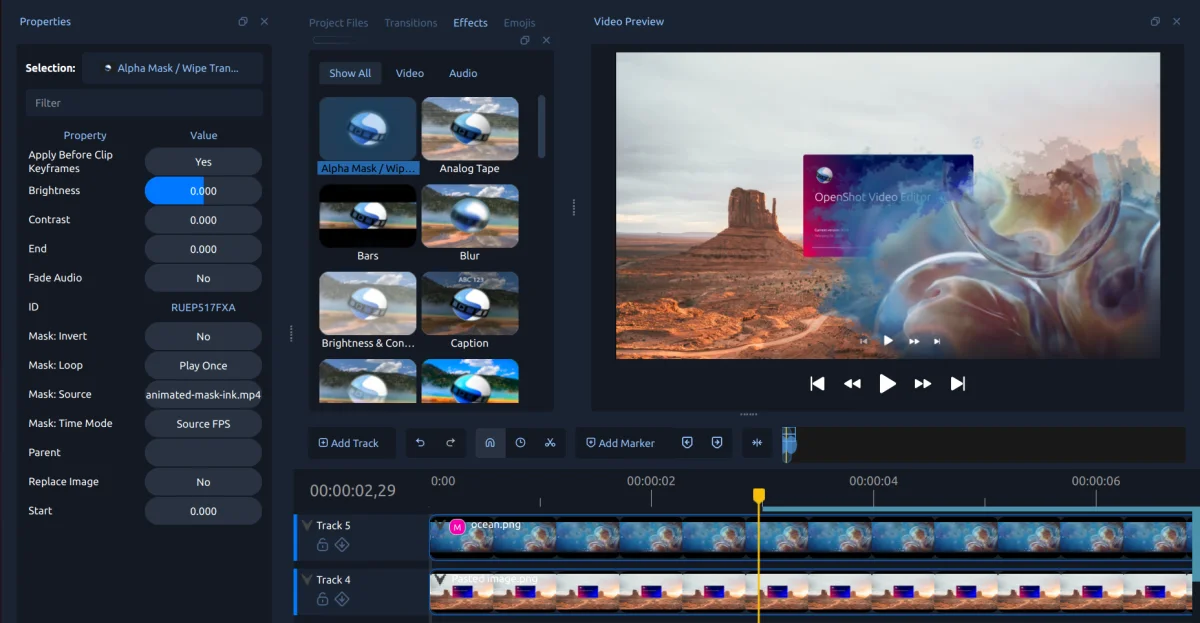
OpenShot 3.5 introduces substantial enhancements to editing effects, particularly with the new default Chroma Key settings. Users can now expect softer edges and better performance while applying effects. The capability for animated masks has significantly expanded, enabling more creativity and precision in edits. These features are tailored for those looking to achieve sophisticated compositing and highly selective effects.
Technical notes: Improvements in mask timing and trimming contribute to a smoother overall workflow when applying effects.
Stability and Bug Fixes
Stability remains a crucial aspect of the OpenShot 3.5 release. An extensive testing regimen has uncovered and resolved numerous bugs related to playback, timeline editing, and caching to increase overall reliability. The introduction of the openshot-replay testing suite ensures that future updates maintain a high level of stability.
Technical notes: Expanded automated tests and regression coverage contribute to the overall robustness of the application.
Experimental ComfyUI Integration
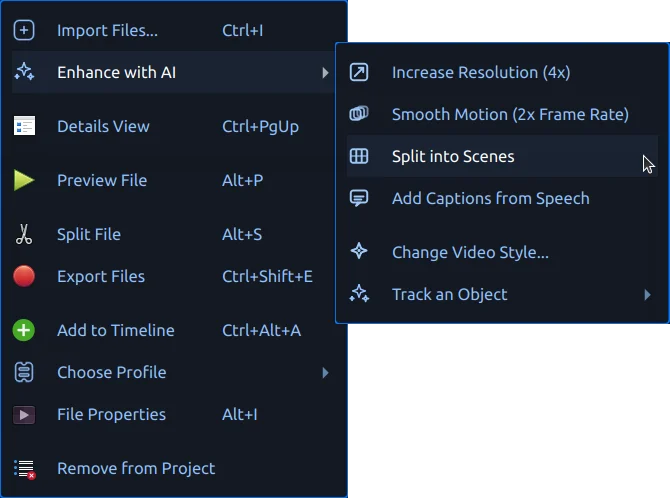
OpenShot 3.5 also makes strides in advanced AI workflows with the early introduction of experimental ComfyUI integration. This feature supports various advanced processes around tracking and segmentation, laying the groundwork for potential future enhancements. However, users should keep in mind that this feature is still in development and is suited for those comfortable with experimental functionality.
Technical notes: Current integration allows for dynamic loading of AI-based workflows and compatibility with advanced tracking systems.
Future Directions
Looking ahead, the OpenShot team is focused on merging implementations for Qt6 / PyQt6 / PySide6, which is essential for future updates. An upcoming Android build is also in the pipeline, alongside efforts to trim the download sizes by removing legacy web-based timelines. Any contributions or feedback regarding the ComfyUI integration are warmly welcomed as we strive to refine these new features. Interested users can reach out via email at hello@openshot.org or join the Discord community to share their thoughts.