OpenShot 3.4: Enhanced Performance and New Features Boost Video Editing Experience
| Shelf | Cameras & Lenses |
|---|---|
| Date in | |
| Readers | 874 |
OpenShot 3.4 introduces significant performance improvements and a host of new effects and workflow enhancements to streamline video editing.
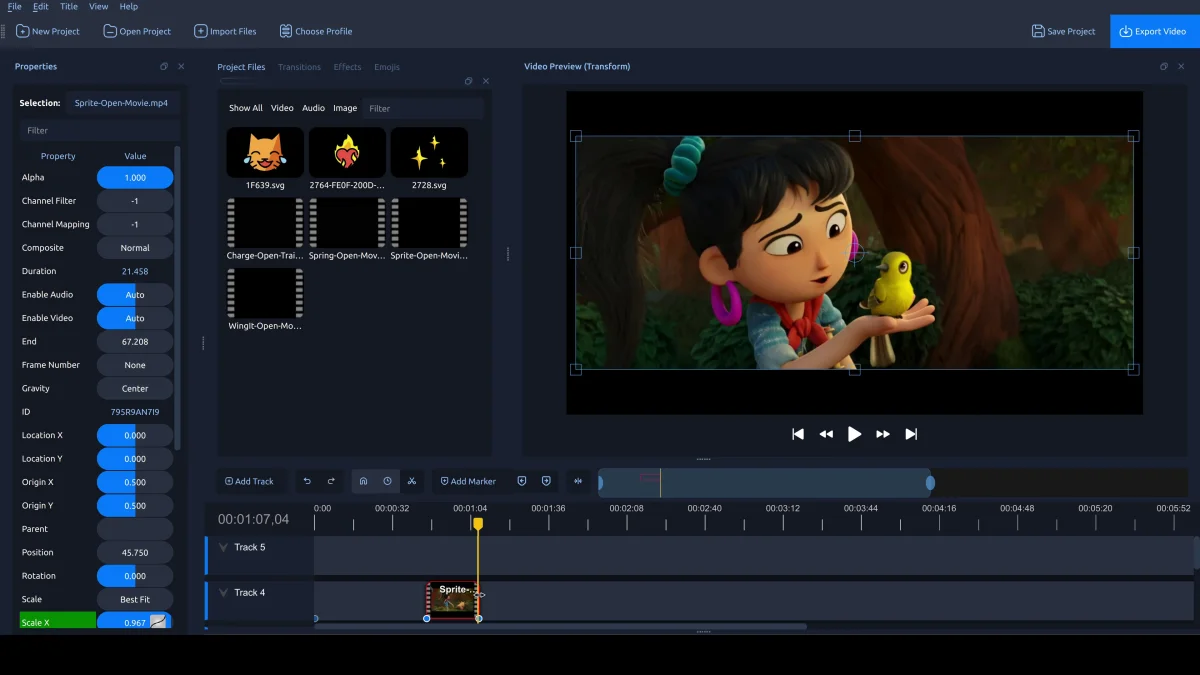
OpenShot 3.4 has officially launched, marking a substantial update packed with improvements and new features. With an overall speed boost of about 32% in performance, significant memory savings, and a range of fresh video effects, this release aims to provide a smoother and more efficient editing experience. Notably, it also addresses many bugs and stability issues, alongside the introduction of an experimental timeline designed for users eager to explore the future capabilities of OpenShot. Download OpenShot 3.4 Now!
Performance Improvements
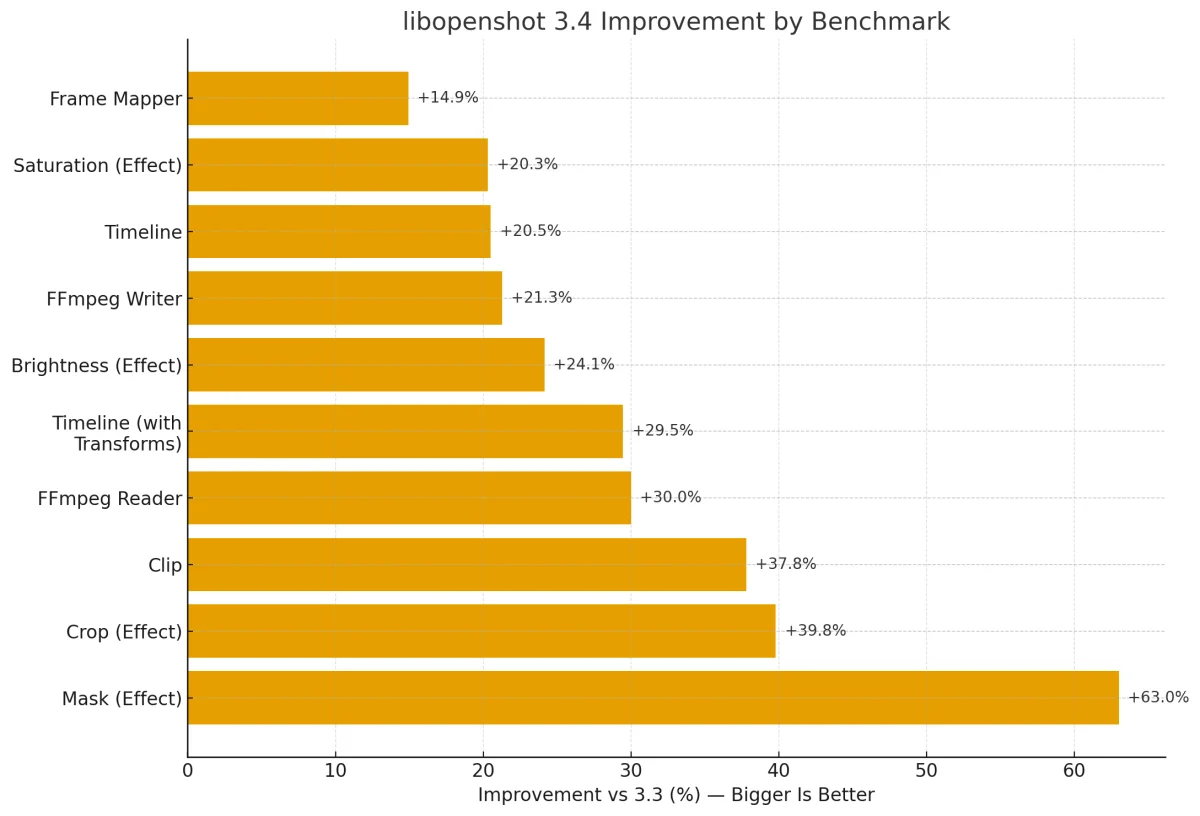
One of the standout features of OpenShot 3.4 is its significant performance upgrades. Internal benchmarks show an impressive speed increase of about 32% across various functions, which could drastically change how users interact with the software. Specific enhancements in the libopenshot core have led to remarkable improvements:
- Mask effect: +63%
- Crop effect: +39.8%
- Clip rendering: +37.8%
- FFmpeg Reader: +30.0%
- Timeline (with transformations): +29.5%
- Brightness adjustment: +24.1%
- FFmpeg Writer: +21.3%
- Timeline: +20.5%
- Saturation control: +20.3%
- Frame Mapper: +14.9%
Moreover, export processes are about 23% faster due to an integrated caching thread within the export dialog. This enhancement reduces CPU contention and significantly boosts throughput, which is a welcomed change for users who manage large projects and long timelines. Quick turnarounds can make a big difference in professional settings and could easily convince some users to transition away from other solutions.
New Effects and Features
OpenShot 3.4 introduces several new video effects that enhance visual creativity and allow for a more tailored editing experience. This update isn't just about speed; it’s also aimed at expanding the toolkit for those who want to push their creative boundaries:
- Sharpen: Offers detail enhancement with a High Pass mode, allowing for more defined edges, particularly useful in fast-paced sequences.
- Color Map (LUT): Integrates color grading through
.cubeLUT files, supporting both 1D and 3D LUTs, which broadens the capabilities for colorists aiming for specific looks. - Spherical Projection: Converts 360° and 180° footage, improving fisheye options and overall quality, essential in today's immersive media production.
- Lens Flare: Delivers a classic flare effect, inspired by the FlareFX filter, which can add cinematic quality to many shots.
- Outline: Provides edge and line styling with enhanced antialiasing capabilities, which is key for creating polished graphics and transitions.
These new features reflect a growing trend among video editing software to cater to both technical adjustments and creative expression. That's significant because, while performance is paramount, the tools available for artistic manipulation also play a critical role in a software's attractiveness.
Editing Enhancements
Editing workflows have undergone significant refinement in this update, streamlining the process for users of all skill levels:
- Interactive Crop: Users can now interactively crop video directly on the canvas utilizing crop handles, which offers a more tactile approach than previous methods.
- Timing Mode: A drag-to-re-time feature allows clips to be re-timed by dragging their edges, mimicking traditional trimming techniques. This reaffirms the software's commitment to user-friendly design.
- Draggable Keyframes: The dragging of keyframes on the timeline is now more intuitive, featuring live previews during adjustments. This makes the editing process much smoother.
- Snapping Improvements: Keyframes now participate in snapping targets, enhancing precision during trims and re-timing processes. This type of fine-tuning can make all the difference in a polished final product.
These enhancements undoubtedly aim at making the editing process less daunting for beginners while still providing the functionality that advanced users expect. If you're working in this space, you’ll likely find that these tools can significantly save time and effort.
Experimental Timeline
For those willing to experiment, OpenShot 3.4 rolls out an Experimental Timeline that can be accessed in the Preferences menu. This feature, still in development, promises:
- Smoother scrolling and zooming capabilities on extensive timelines, which is vital when working with longer projects.
- Enhanced visualizations including markers, waveforms, and keyframe rendering, that give a clearer picture of editing decisions.
- Improvements in thumbnail handling for reliable trimming and previewing, which is often a point of frustration for video editors.
Note: As an experimental feature, users should proceed with caution given its potential instability. This is where early adopters can help shape its future by providing feedback, so consider whether you want to join that initiative before diving in.
Import/Export Compatibility
OpenShot has made strides in efficiency with upgrades to Final Cut Pro XML support and EDL functionality, tuning the import/export process:
- Better compliance with XML specifications and improved track import order, which eases transitions from other software.
- Round-trip motion and keyframe handling, albeit with some limitations, ensure that edits made outside the OpenShot environment can return without losing integrity.
- Updated timecode alignment to common standards for more reliable frame behavior, which is essential in maintaining synchronization across different platforms and devices.
These enhancements reduce the friction often experienced when importing/exporting projects, a common headache for many editors. This can encourage broader adoption, especially for those entrenched in other ecosystems and workflows.
Media Handling and Accuracy
OpenShot now provides enhanced media handling, allowing for better consistency across different media types. With updates that include:
- Duration strategy modes for more reliable FFmpegReader handling.
- Improved accuracy matching between frame counts and durations, essential for achieving the desired playback quality.
- Support for animated GIF imports that maintain correct duration and playback accuracy, appealing to those who often work with web content.
This focus on media accuracy creates an editing environment where users can feel confident that what they see in the editor reflects the final product—an aspect often overlooked until something goes wrong.
Stability Improvements
Stability and reliability continue to be a focus, with critical fixes to the undo/redo functionality, which makes it more dependable during editing sessions. Users can expect:
- Better handling of common tasks such as deleting transitions without crashes.
- Overall increased resilience during various editing actions, addressing pain points that often lead to lost work or frustration.
The stability improvements are especially pertinent for professionals working under deadlines. Crashes can sabotage a workflow, so these enhancements are significant, even if they don't draw as much attention as new features. This part of software development is often where user experience improvements are the most impactful.
Community Acknowledgements
The OpenShot team has updated supporter credits and acknowledges various community contributions. Special thanks are extended to Raffi for substantial support in testing and advocacy efforts that have propelled forward the quality of OpenShot. Community involvement not only enhances the software but fosters a sense of ownership among users, which can increase loyalty and engagement.
Future Implications and Significance
As OpenShot continues to evolve, it's curious to consider what lies ahead. The focus on performance improvements and user experience suggests a deliberate strategy to attract a broader audience, including professionals who may have stuck with pricier alternatives. As more users adopt OpenShot, additional resources and community contributions could lead to even greater innovations.
Moreover, this release exemplifies a shift in open-source software development that prioritizes both functionality and creativity. As these tools become more robust, they could democratize video editing, making high-quality production accessible to even more creators globally.
And this is the part most people overlook: the more inclusive the software, the more diverse the voices and stories that emerge. That, ultimately, impacts the types of narratives told in the media we consume.